
Schedule Every Crew, Every Job — Without the Chaos
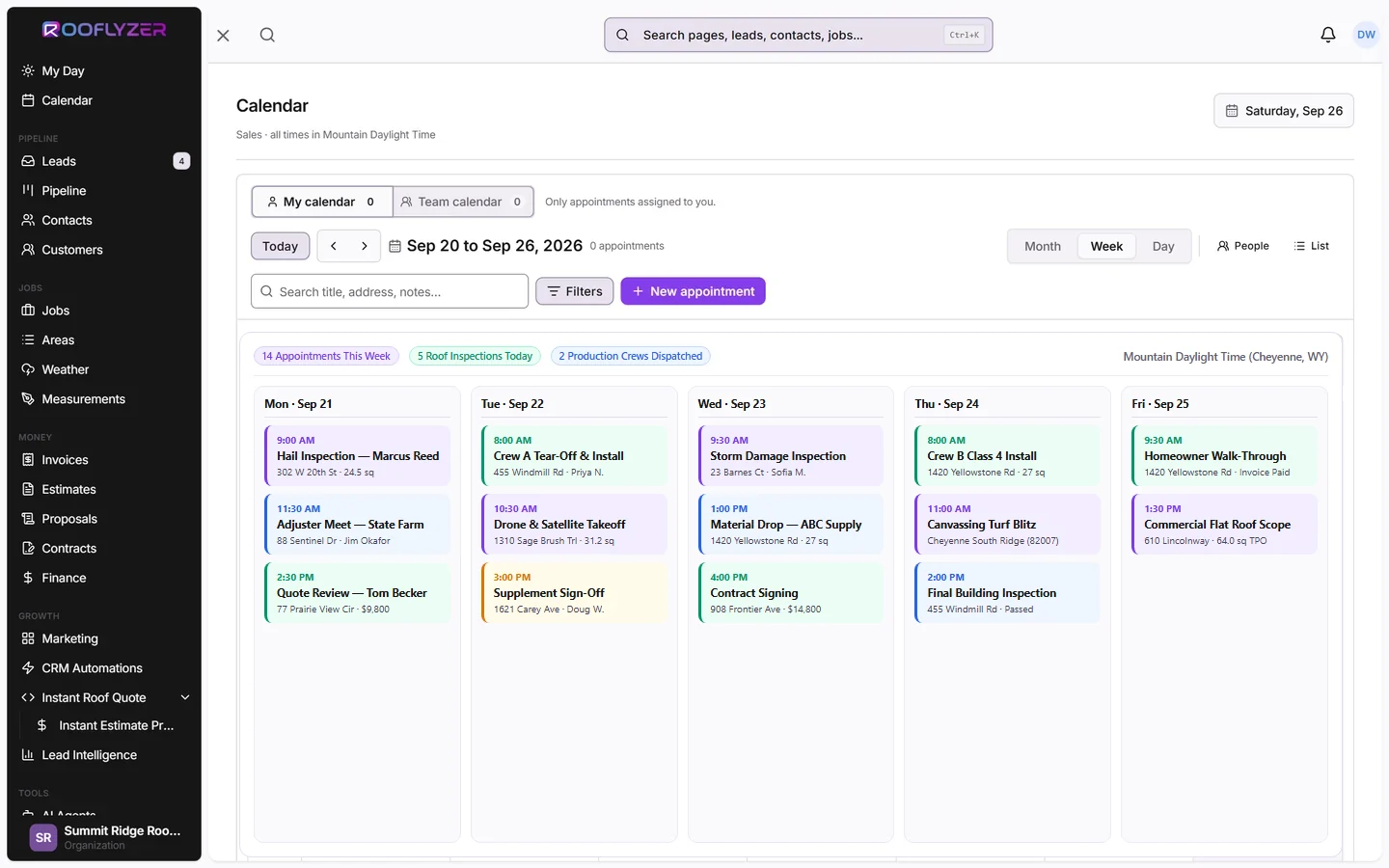
A visual job calendar that shows every crew, every job, and every conflict at a glance. Drag, drop, and reassign in seconds. Your foremen know their schedule before they leave for the day.
Every Tool Your Scheduler Needs
Visual Job Calendar
See all active jobs, assigned crews, and scheduled dates on a color-coded calendar. Day, week, and month views.
Crew Capacity Management
Set crew sizes and see capacity utilization at a glance. Never overbook a team or leave one idle.
Conflict Detection
Automatic alerts when two jobs are scheduled for the same crew on the same day. Resolve with one drag-and-drop.
Mobile Schedule Access
Field crews see their daily schedule on the app. No phone calls needed to confirm who's going where.
Weather-Based Rescheduling
Flag weather-sensitive jobs and get alerts when rain or extreme temps are forecast for installation days.
Automated Job Reminders
Customers get automated appointment reminders 24 hours before crew arrival. Reduce no-shows and callbacks.
The Old Way
- ✕Whiteboard or spreadsheet scheduling updated manually
- ✕Double-booking accidents discovered day-of
- ✕Crew doesn't know their schedule until morning call
- ✕Customers call to confirm — waste your office time
- ✕Weather cancellations cascade into week-long chaos
The Rooflyzer Way
- Visual calendar with drag-and-drop job assignment
- Automatic conflict detection before it becomes a problem
- Crews see their daily schedule on the mobile app
- Automated customer reminders reduce no-shows by 28%
- Weather alerts let you reschedule proactively
Real Numbers
Frequently Asked Questions
How many crews can I manage?
Can foremen see their own schedule without admin access?
Does scheduling sync with Google Calendar?
How does weather rescheduling work?
Can I set recurring jobs for maintenance customers?
Ready to End Scheduling Chaos?
One calendar. Every crew. Every job. No conflicts, no callbacks, no chaos.